
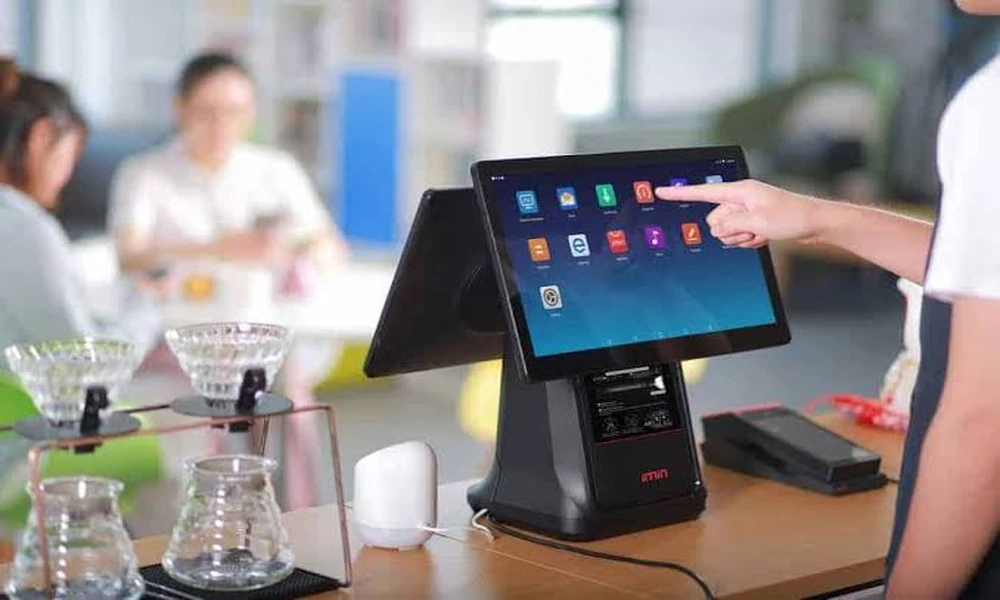
Just step into any active retail store on a Saturday afternoon and you’ll see why there’s an issue straight away: the awkward card swipe machine connected to its own cash register, the barcode scanner which is never quite up to speed, the receipt printer that is jammed yet again. I’ve watched store owners lose customers over exactly this kind of friction – someone waiting in line, tapping their foot, while a cashier fumbles between three different machines just to ring up a coffee and a muffin.
An all in one pos system fixes that mess. Payment processing, inventory tracking, reporting, and checkout all live on one device. No more juggling. Whether you’re running a corner bodega or a five-location boutique chain, consolidating hardware like this changes how your whole operation feels – faster, cleaner, less prone to the small errors that add up over a month.
What’s Actually Inside One of These Systems
Old-school setups forced you to Frankenstein together a card reader here, a scanner there, none of it really talking to each other. A modern integrated terminal ditches all that for a single touchscreen. Here’s what you’re getting:
Multi-method payment acceptance. Contactless cards, chip cards, Apple Pay, Google Wallet, QR codes – customers tap or scan however they want, and the machine just handles it.
Real-time inventory management. Sell a unit, and your stock count drops instantly. I’ve seen this alone save retailers from the classic nightmare of promising a product online that sold out in-store an hour earlier. Low-stock alerts mean you reorder before you’re caught empty-handed.
Why Bother Upgrading? Here’s What Changes
Swapping out a patchwork of old hardware for one integrated terminal isn’t just a nice-to-have. It shows up in real, measurable ways almost immediately.
Checkout lines move faster – noticeably so, especially during a lunch rush or a weekend sale. When the card reader and the register software are the same system, there’s no lag, no re-entering totals by hand.
Your counter looks better too. One slim terminal instead of a tangle of cables and separate machines means more room for impulse-buy displays, or honestly, just less visual chaos for customers to squint at.
Errors drop. A lot. Manual entry is where most reconciliation headaches come from – a cashier fat-fingers a price, or forgets to log a discount. When the payment terminal and register talk to each other automatically, that whole category of mistake mostly disappears.
Old Setup vs. New Setup, Side by Side
| Operational Feature | Traditional Multi-Device POS | Modern All-in-One POS |
|---|---|---|
| Hardware Setup | Tangle of cables, separate readers | One integrated terminal |
| Payment Flexibility | Separate terminal per payment type | Cards, wallets, QR – all native |
| Data Sync | Manual exports, spreadsheet stitching | Automatic, real-time |
| Counter Footprint | Bulky, wire-heavy | Compact, built for small spaces |
Picking the Right System
Here’s where a lot of buyers mess up: they get seduced by a sleek touchscreen and forget to check whether the software and hardware were actually built to work together, or just bolted on as an afterthought. Ask about offline mode specifically Software updates should happen automatically, in the background, not require you to call a technician every quarter. And payment flexibility matters more than people think – I’ve talked to shop owners who lost sales simply because their old terminal couldn’t take Apple Pay, and a customer just walked out rather than dig for a card. An all in one pos system eliminates those headaches completely.
